Saved Dashboards
Saved Dashboards lets you store and reuse a dashboard configuration so you can quickly return to the same view.
A saved dashboard includes:
- Name
- Description
- Saved filters/search
- Table columns (the selected/visible columns)
- Tags (for organization and filtering)
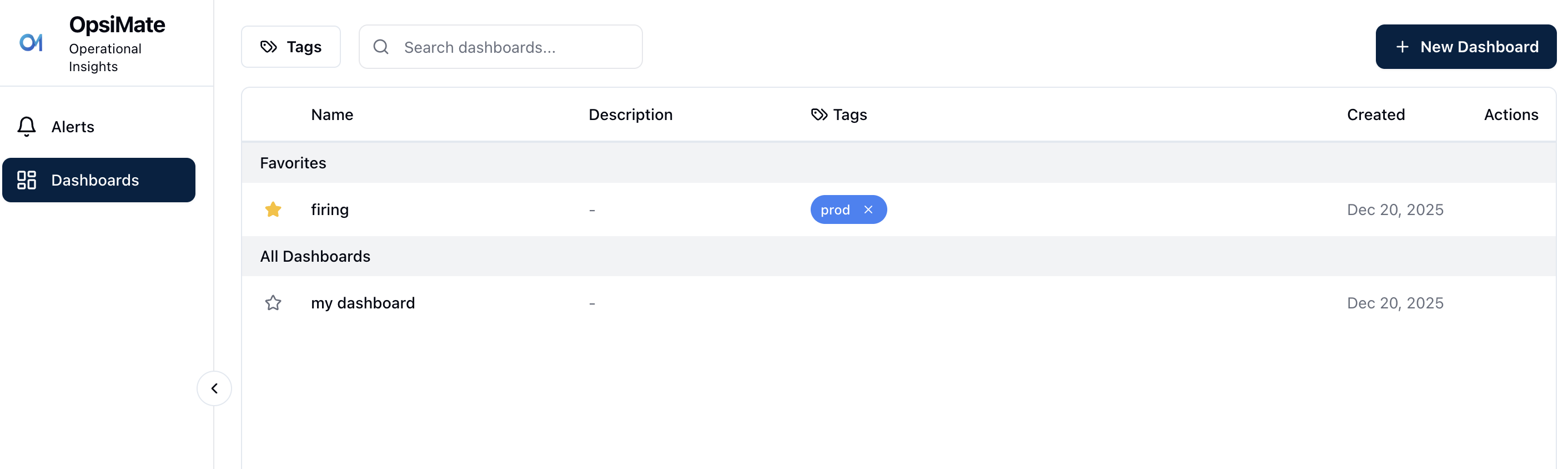
Saved Dashboards page with favorites, tags, search, and actions
How to Save a Dashboard
- Click New Dashboard in the top-right corner.
- You will be redirected back to the Alerts screen.
- From there, you can filter or modify the search to shape your dashboard.
- Update the dashboard name.
- Save the dashboard.
Once the process is complete, you will be able to see your saved dashboard.