Alert Management
The Alert Management page provides a centralized view of all alerts across your services and integrations.
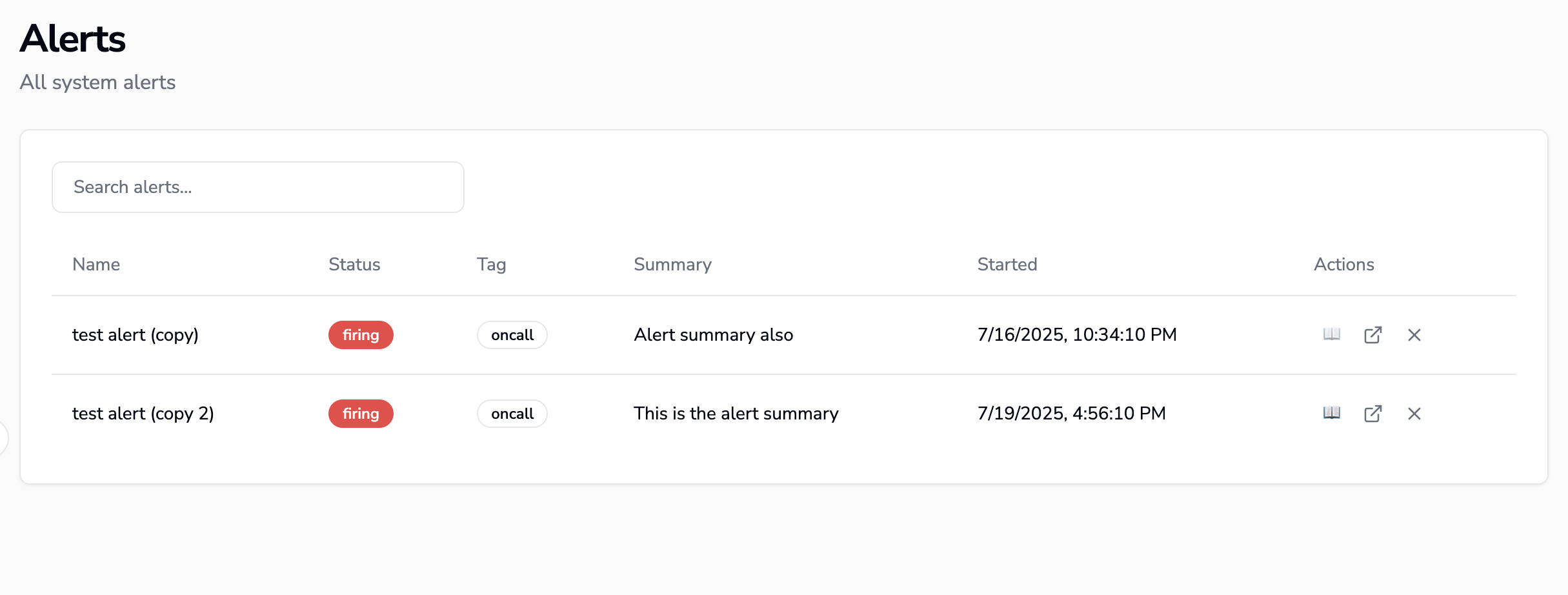
OpsiMate alerts dashboard showing real-time notifications and alert management
Overview
Access the Alert Management page to:
- View all alerts: See alerts from all integration sources in one place
- Filter and search: Find specific alerts by service or status
Alert Dashboard Features
Active Alerts
View currently active alerts:
- Real-time status updates
- Associated services and tags
- Time since alert started
Silencing and Resolving Alerts
Use Silence to pause an alert for a chosen duration, and Unsilence to end the silence early. The alert remains available; dashboard status filters control whether it is shown. See Silences and Mute Policies for durations, status indicators, and rules that match multiple alerts.
Use Resolve when the incident is finished. To restore a resolved alert, open the Resolved tab on the Alerts page, select the alert, and choose Unresolve in its details panel. This returns it to the active list with Firing status. See Archived Alerts for more about reviewing resolved alerts.
Grouping Alerts
Use group by to organize alerts based on what matters to you:
- Group alerts by any field (for example service, status, source, or severity)
- Group by nested fields inside the alert payload for more advanced views
- Quickly spot patterns, noisy sources, or services with repeated issues
Ownership Management
You can assign ownership to alerts to track responsibility and ensure timely resolution by adding the owner field to the column configuration.
- Assign users to specific alerts for clear accountability
- Track ownership history and handovers for better collaboration
- Set escalation rules based on ownership assignments for timely resolution
- Filter alerts by ownership status for better accountability
Alert Details Sidebar
Click any alert row to open a details sidebar on the right:
- See full alert information, including labels, payload, and timestamps
- Follow a direct link to the source alert in the original monitoring tool
- Use a runbook link to jump straight to the documentation or procedure for handling that alert
- Set and view ownership information for better accountability
Each alert shows its source integration for easy traceability back to the original monitoring system.